

12 Agent Email Signature Templates That Convert and Meet Compliance
12 Agent Email Signature Templates That Convert and Meet Compliance

For seller outreach, use a listing-driven signature with a valuation CTA. For cold outreach and new leads, go booking-first with a calendar link. For sphere and referral follow-up, keep it minimal with a soft ask. Match the style below to the email’s job, then copy the closest example and swap in your details.
TL;DR:
- Using a booking calendar link is ideal for cold outreach and new leads to encourage quick scheduling.
- Signatures for listings should include property banners and valuation CTAs to maximize listing exposure.
- For compliance, agents must incorporate brokerage name, license number, and disclosure marks in their signatures without cluttering the design.
- Signatures should be mobile-optimized with clear visual hierarchy, limited to one CTA, and hosted on secure HTTPS servers for images.
- Testing signatures across email clients and devices ensures images load correctly, links work, and formatting remains consistent.
Table of Contents
- Agent Email Signature Examples by Use Case
- Design Rules That Make Any Signature Look Professional
- What Compliance Rules Apply to Realtor Signatures
- HTML, Plain Text, and Image Hosting Done Right
- Matching Your Signature to Your Business Goal
- How to Install and Test Your Signature Across Email Clients
- How AgentWrite Fits Into Your Signature Strategy
- What Actually Moves the Needle in Signature Testing
- AgentWrite Pairs Your Signature CTA With Copy That Backs It Up
- Sources
- FAQ
Agent Email Signature Examples by Use Case
Real estate signatures work differently than corporate ones because every email doubles as a pitch for your next transaction. A professional email signature needs your name, title, brokerage, and contact info at minimum, but agents layer on license numbers, listing banners, and booking links depending on who’s reading. Below are twelve templates organized by the job each one does, adapted from patterns that show up across real estate signature guides and general signature design research.
Copy the content lines exactly as written, then swap in your own details. None of these require full HTML knowledge. Most signature generators or your email clients built in editor will let you paste text and add hyperlinks manually.
-
Minimalist professional. Name (bold, 16px) / Title, Brokerage / Phone · Email / Website link. No photo, no icons. Use this for internal emails, vendor communication, or any message where the pitch isn’t the point.
-
Listing-driven with property banner. Name / Title, Brokerage, License # / Phone · Email / a horizontal image strip showing your active listing with a “View Listing” button underneath. CTA copy: “See the Full Listing.” Use it when you’re actively marketing a specific property and every email is a chance to resurface it.
-
Booking-first with calendar link. Name / Title, Brokerage / Phone · Email / a single button reading “Book a Call.” Use it for cold outreach, open house follow ups, or any first touch where the goal is getting on someone’s calendar fast.
-
Buyer-focused. Name / Title, Brokerage / Phone · Email / CTA: “Browse New Listings in [Neighborhood]” linking to a saved search. This works well for nurture sequences where buyers aren’t ready to talk yet but might click a link.
-
Referral/sphere. Name / Title, Brokerage / Phone · Email / a quiet line: “Know someone buying or selling? I’d love an introduction.” No hard CTA button, just a low friction ask that reads like a favor, not a pitch.
-
Luxury agent. Name (larger, elegant serif font) / Brokerage name only, no title clutter / Phone · Email. One small monochrome icon set, high-resolution headshot, generous white space. Skip the CTA entirely, or use something understated like “Private Listings Available on Request.”
-
Compliance-forward with license. Name / Title, Brokerage, License #[state abbreviation] / Phone · Email / Equal Housing Opportunity mark. Built for markets or brokerages with strict disclosure rules. Keep the license line in a smaller font, but never hide it.
-
Plain-text fallback. Name, Title, Brokerage. Phone: xxx-xxx-xxxx. Email: name@brokerage.com. Website: url.com. No images, no formatting, just line breaks. Every HTML signature needs one of these behind it for clients that strip styling.
-
Mobile-first single-column. Name / Title / Phone · Email, stacked vertically with no side-by-side columns. Roughly 70% of your recipients will open on a phone at some point, so test this one on a phone screen first, not last.
-
Headshot-forward. Small circular headshot (roughly 80x80px) to the left, name and contact info stacked to the right. Alt text example: “Headshot of [Name], real estate agent at [Brokerage].” Good for building recognition with new leads who haven’t met you yet.
-
Social-proof/review-focused. Name / Title, Brokerage / Phone · Email / a line reading “Rated 4.9 stars by 120+ clients” linking to your Google or Zillow reviews. Use this once you actually have reviews worth showing; an empty claim undercuts trust fast.
-
Short reply/follow-up signature. Just your first name and phone number, nothing else. Use this on quick back-and-forth threads where a full signature on every reply feels bloated and slows down the read.
Every example above assumes a hosted, absolute-URL image if you’re using a photo or banner, and CTA microcopy that names the action (“Book a Call,” “See the Listing”) rather than a vague “Click Here.”
Design Rules That Make Any Signature Look Professional
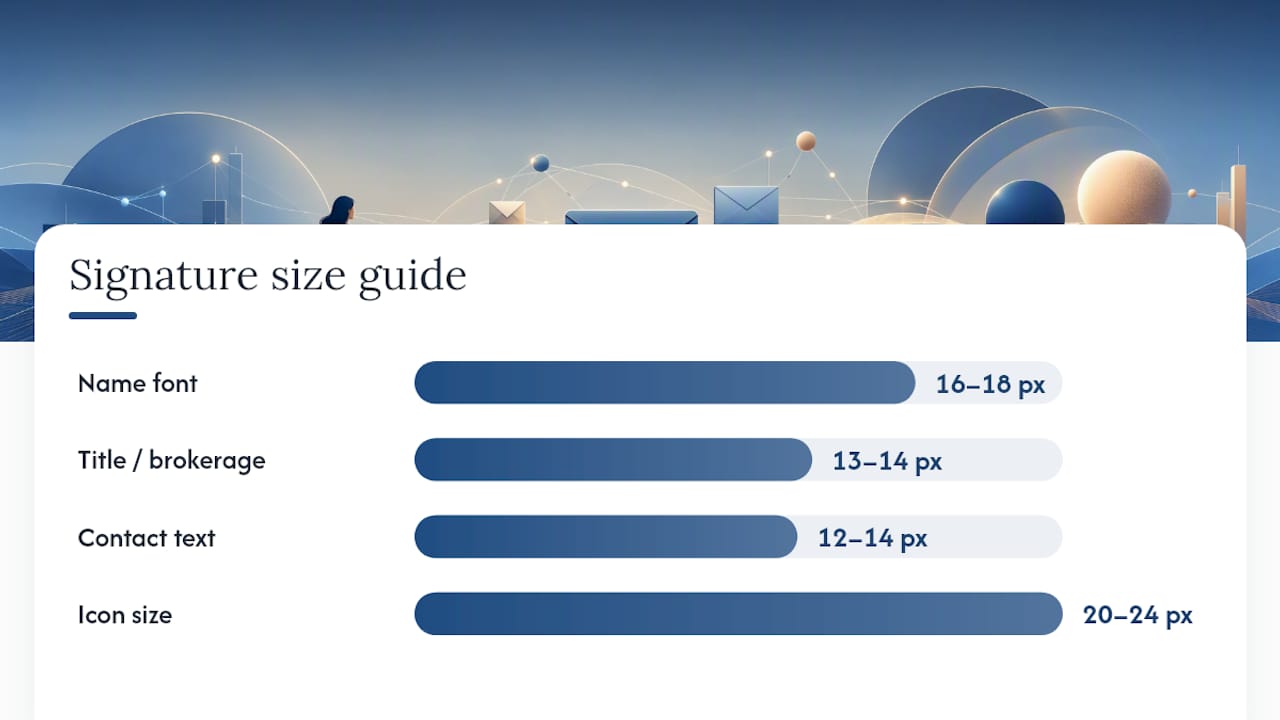
Visual hierarchy solves most amateur-looking signatures. Your name should be the biggest text in the block (16 to 18px), your title and brokerage next (13 to 14px), and your contact details and links smallest but still readable (12 to 14px). If everything is the same size, the eye has nowhere to land first.
Width matters more than most agents realize. Keep the whole signature narrow enough to avoid horizontal scrolling on narrower email panes or awkward cropping on mobile. Icon size should sit in the 20 to 24px range, big enough to tap on a phone without feeling like a wall of tiny logos.
- Limit yourself to one CTA button per signature. Two competing calls to action split attention and, according to research on signature CTA design, a single clear CTA reduces decision friction and tends to outperform signatures juggling multiple asks.
- Cap social icons at a few. Every icon you add pulls focus away from your name and phone number.
- Never build an image-only signature. Some email clients block images by default, and a signature that’s a single picture with no text becomes invisible to that reader entirely.
- Use one consistent brand color across your name, icons, and CTA button. Three unrelated colors reads as thrown together, not polished.
- Keep the whole block to five or six lines. If you need more room, you’re probably trying to cram in too many secondary links.
Contrast deserves real attention, not an afterthought. Run your color choices through a tool like WebAIM’s contrast checker and follow WCAG guidance before finalizing anything, especially if you’re using a light gray for secondary text. Gray-on-white looks sleek in a mockup and becomes unreadable on a dim phone screen outdoors.
Pro Tip: Build your signature at actual size first, then shrink the browser window to roughly 375px wide (a common phone screen width) before you approve it. What looks balanced on a 27-inch monitor often collapses into a cramped mess on mobile.
None of this is set-and-forget. A/B test your CTA wording and button placement over a month of outreach, and track clicks-to-schedule or valuation-request clicks as your success metric. Small wording changes, like “Book a Showing” versus “Schedule a Tour,” can shift click rates in ways that aren’t obvious until you actually measure them.
What Compliance Rules Apply to Realtor Signatures
Brokerage attribution is the one requirement that shows up almost everywhere. Most states and most brokerage policies require your signature to name the brokerage you’re licensed under, not just your personal brand, and many require your license number to appear somewhere in agent-to-client correspondence, according to guidance on realtor email signature requirements.
Here’s a short checklist to run before you finalize any agent signature:
- Confirm your brokerage’s exact required wording. Some brokerages mandate a specific format (“Licensed Real Estate Salesperson” versus “REALTOR®”), and getting this wrong can trigger an internal compliance flag.
- Check your state licensing board’s disclosure rules. Requirements vary by state and sometimes by transaction type, so don’t assume the format you used at your last brokerage still applies.
- Add supervising broker information if your state or brokerage requires it. This is common for newer agents working under a managing broker.
- Decide where the Equal Housing Opportunity mark belongs. Many brokerages require it on all agent correspondence; check your brokerage’s brand guidelines rather than guessing.
- Keep compliance text visually secondary. A small line under your title, in a slightly smaller and lighter font than your name, satisfies the requirement without turning your signature into a legal disclaimer block.
The trade-off here is real: compliance information competes for space with your branding and CTA. The fix isn’t to hide it, it’s to design around it, giving license numbers and brokerage disclosures a clear but unobtrusive place in the layout rather than bolding them or, worse, leaving them out because they clutter the design.
HTML, Plain Text, and Image Hosting Done Right
Table-based HTML remains the safest structure for signatures because it renders consistently across Outlook, Gmail, and Apple Mail, according to Exclaimer’s design guidance on cross-client compatibility. Outlook in particular uses Microsoft Word’s rendering engine for HTML email, which handles tables far more reliably than modern CSS layouts like flexbox or grid.
Keep your HTML lean. Gmail clips messages that exceed a certain size, and a bloated signature with excessive inline styling can push a short email past that threshold, hiding your closing lines under a “message clipped” link.
- Host every image on a secure HTTPS server using absolute URLs, and keep each file size small to ensure fast loading on mobile data.
- Export images at 2x resolution for high-DPI screens, but compress them afterward so file size stays small despite the sharper resolution.
- Write descriptive alt text for every image (“Headshot of Maria Chen, real estate agent” rather than “image1.jpg”) so the signature still communicates something when images are blocked.
- Build a plain-text fallback with just your name, title, brokerage, phone, email, and website on separate lines, since some clients and spam filters strip HTML entirely.
- Skip scripts and tracking pixels in the signature itself. If you need click tracking, add UTM parameters to your links instead. Scripts in signatures get flagged by spam filters far more often than a clean tracked link.
If you’re sourcing a headshot or a listing banner image, a sharp, well-lit photo makes a bigger difference than any layout tweak. Agents working with a dedicated real estate photography partner tend to get cleaner, more consistent images for signatures and listing banners than a phone photo cropped down to size.
Matching Your Signature to Your Business Goal
Your signature should change based on what that specific email campaign is trying to accomplish, not stay identical across every message you send. Organizing signatures by purpose, listing-focused, buyer-focused, referral, or luxury, keeps the CTA aligned with what the recipient is actually likely to do next.
- Listing generation: lead with a home valuation CTA (“What’s My Home Worth?”) paired with a property banner and a booking link, since sellers responding to this kind of email are already thinking about listing.
- Buyer outreach: swap the valuation CTA for “Schedule a Tour” or a saved neighborhood search link, since buyers respond better to browsing than to a hard booking ask this early.
- Referral and sphere cultivation: drop the CTA button entirely and use a soft text ask, plus a review count or testimonial line if you have real social proof to show.
- Luxury branding: strip the signature down to name, brokerage, and a premium headshot. Selective, understated CTAs (if any) outperform a busy booking button in this segment.
How to Install and Test Your Signature Across Email Clients
Installing a signature is quick in every major client: Gmail keeps it under Settings > See All Settings > General; Outlook desktop lives under File > Options > Mail > Signatures; Outlook web is under Settings > Mail > Compose and Reply; Apple Mail sits under Mail > Settings > Signatures. Mobile apps usually pull from the same account settings, though some, like Gmail’s app, require a separate mobile signature entry.
Testing catches problems installation alone won’t show you. Run through this checklist before rolling a new signature out to your whole outreach list:
- Send a test email to a second account and confirm every image actually loads, not just appears as a broken icon.
- Click every link in the signature, including social icons, to confirm none are dead or pointed at the wrong URL.
- Open the test email on a phone to check that elements stack cleanly instead of overlapping or shrinking illegibly.
- Confirm alt text displays correctly when images are blocked, since many corporate inboxes block images by default.
- Check that the message doesn’t get clipped in Gmail and doesn’t trigger spam filters, which can happen with oversized attachments or embedded scripts.
Manual checks with screenshots and a couple of test accounts across Gmail, Outlook, and Apple Mail will catch the Outlook table quirks and mobile stacking issues that automated builders often miss. Keep your old signature saved somewhere so you can roll back fast if the new one breaks in a client you didn’t test.
How AgentWrite Fits Into Your Signature Strategy
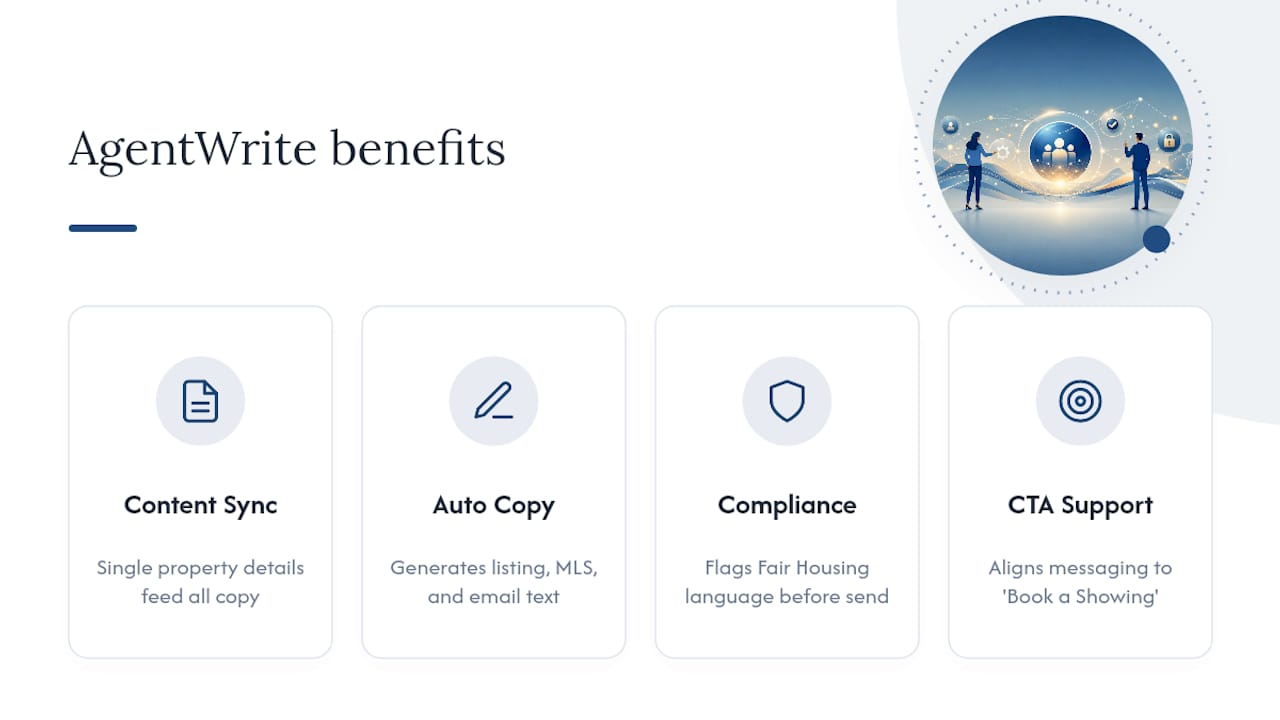
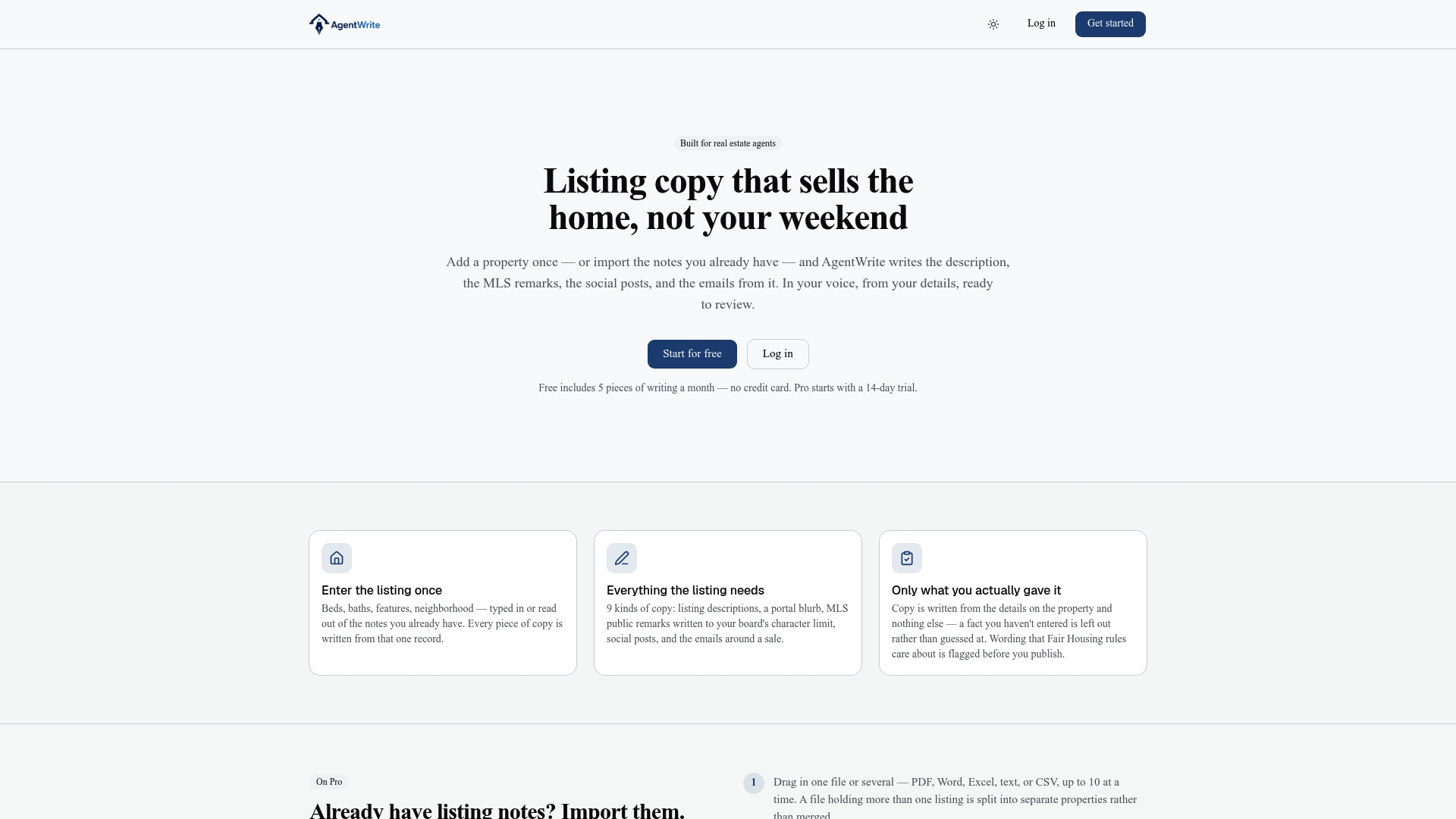
A sharp signature CTA still needs an email that earns the click. Some signature-related platforms offer the ability to generate listing copy, MLS remarks, and email bodies based on a single set of property details, helping to create cohesive messaging around CTAs like “Book a Showing.” It also flags language that could raise Fair Housing concerns before you hit send, which matters as much for compliance as your license number does in the signature itself.
What Actually Moves the Needle in Signature Testing
Run two tests before you touch anything else in your signature. First, swap your CTA wording, “Book a Showing” against “Request a Valuation”, and watch which pulls more clicks over a couple weeks of real outreach. Second, test with and without a headshot; the answer isn’t always “photo wins,” especially in cold outreach where a face can read as salesy. Track click-to-schedule rate as your one real metric, and make sure your signature’s CTA always matches the email’s main ask, not a leftover from last month’s campaign.
— Tyler
AgentWrite Pairs Your Signature CTA With Copy That Backs It Up
A signature builder gets your name and CTA button looking right. It doesn’t write the email above it, and a mismatched CTA and message is one of the fastest ways to lose a click you already earned. Certain AI-powered writing platforms help real estate agents by generating listing descriptions, MLS remarks, social posts, and email bodies from property details, with features to flag potential Fair Housing wording concerns before sending.
Pair that with the CTA-first signatures above, and every email you send carries a consistent message from subject line to sign-off, whether you’re pushing a new listing, following up with a buyer, or nudging your sphere for a referral. Instead of writing five versions of the same update by hand, generate the copy once and let it flow into your emails, your social posts, and your next follow-up sequence. If you’re ready to see how that works with your own listings, start with AgentWrite and generate your first draft from a real property you’re marketing right now.
Sources
- Email signature examples: How to write a great one + free generator — HubSpot
- Contrast checker — WebAIM
- Realtor email signature examples for real estate agents — Exclaimer
FAQ
What are some good examples of email signatures?
Strong signatures include your name, title, and contact method at minimum, plus one clear call to action, whether that’s a booking link, a listing banner, or a soft referral ask depending on the email’s purpose.
What does a CEO or executive email signature look like?
Executive signatures tend to skip flashy CTAs and heavy icon rows in favor of a minimal layout: name, title, company, and one contact method, since the goal is brand authority rather than clicks.
Can you provide examples of a real estate agent email signature?
Yes. Common formats include a listing-driven signature with a property banner and valuation CTA, a booking-first signature with a calendar link for cold outreach, and a compliance-forward version showing brokerage name and license number for client-facing correspondence.
How do I sign an email professionally?
Close with your name, title, brokerage or company, and a way to reach you, either phone or email, formatted with clear visual hierarchy so your name stands out and your CTA, if you have one, doesn’t compete with it.
Do real estate agents need a license number in their signature?
Many brokerages and state boards require it in client-facing emails, so check your specific brokerage policy and state licensing board rules rather than assuming a format from a previous job still applies.