

5 Minute Just Listed Emails: Templates & Paste Ready Copy for Agents
5 Minute Just Listed Emails: Templates & Paste Ready Copy for Agents

Send a hero-led, single-CTA Just Listed email within hours of MLS activation, not days. Have two template styles ready (hero and photo grid), send to your hottest segment first, and confirm mobile preview before you hit send. That order of operations, more than any clever subject line, is what separates the agents who fill open houses from the ones still waiting on replies a week later.
TL;DR:
- Sending a Just Listed email within two hours of MLS activation is critical for engagement, especially targeting active buyer leads first.
- Using a single high-quality hero image of at least 1200 pixels and a clear, scannable stats bar boosts visual impact and reader interest.
- A single, well-crafted CTA button outperforms multiple links, with the primary focus on actions like scheduling or sharing the listing.
- Testing the email on a mobile device before sending prevents cropping issues and ensures all links and images load correctly.
- Automating the initial send to your hottest buyer segment can maximize early engagement and save valuable time.
Table of Contents
- What Should a Just Listed Email Include?
- Hero Layout Or Photo Grid: Which Template Fits?
- What Subject Line Gets a Just Listed Email Opened?
- Who Should Get the Email First, and When?
- How Do You Write and Send a Just Listed Email Fast?
- Why 30 Minutes Is the Real Benchmark for a Launch
- Send Polished Just Listed Emails Without Starting From Scratch
- Sources
- FAQ
What Should a Just Listed Email Include?
A full-width hero image needs to load first and load sharp. Aim for at least 1200 pixels wide, cropped to show the home’s best angle (front exterior in golden light, or the kitchen if that’s the sell), with alt text describing the property for readers whose images don’t render. Skip anything that looks like a stock photo or a phone snapshot pulled from a showing. Agents who lead with generic thumbnails instead of a genuine hero shot see noticeably weaker engagement.
Right below the image, stack the facts that matter: address, price, beds, baths, and square footage, formatted as a scannable stats bar rather than a paragraph. A small “Just Listed” or “Coming Soon” badge over the hero photo signals news value the instant the email opens.
Your name, headshot, and brokerage logo belong in a slim footer or header strip, not competing with the listing for attention. Then comes the CTA: one button, one action, one high-contrast color that stands apart from the rest of the email.
- One primary CTA outperforms multiple competing buttons; extra links split clicks and often lower conversion on the action you actually want.
- Single-column layout, 16px+ body text, and generous white space keep the email readable on a phone screen, where most of these opens happen.
- Address, price, and beds/baths/sqft should sit above the fold, before any scrolling is required.
Pro Tip: Test your hero image at actual mobile width before sending. A photo that looks stunning on a 27 inch monitor can crop awkwardly on a phone and cut off the front door.
Hero Layout Or Photo Grid: Which Template Fits?
The hero template puts one commanding photo across the top, followed immediately by the stats bar and CTA. Use it when a single image (a stunning exterior, a jaw-dropping view) does the selling on its own. It works best for buyer lists and sphere sends, where the goal is a fast emotional hook.
The photo-grid template swaps that single hero for three to six smaller images, usually arranged two or three across, letting a kitchen renovation, a finished basement, and a backyard pool each get their moment. This fits listings where no single room tells the whole story, and it tends to perform well with neighbor sends and past-client lists who want a fuller look before deciding whether to forward it along.
- Hero style: stats bar directly under the photo, CTA button below that, minimal scrolling required.
- Photo grid: hero-sized lead image up top, followed by the grid, stats bar, then CTA at the bottom.
- Audience fit: hero for active buyers and quick sphere shares; grid for neighbors and clients weighing a referral.
Both formats keep the CTA singular. The layout changes; the one-button rule doesn’t.
What Subject Line Gets a Just Listed Email Opened?
Three patterns consistently pull opens: leading with the neighborhood name, leading with price, or pairing urgency with a market cue like low inventory. Pick the one that matches your recipient list, not your personal favorite.
- Buyer list: “New in Maple Heights: 3BR Under $450K, Just Listed” — this pairs location and price so a buyer instantly knows if it’s worth a click.
- Sphere/referral send: “Just Listed by [Your Name]: You’ll Want to See This One” — casual, personal, built for forwarding to a friend.
- Neighbor-focused: “A Home on Your Street Just Hit the Market” — hyperlocal framing that plays on curiosity about a nearby sale price.
Preheader text should extend the subject line, not repeat it. If your subject says “Just Listed in Maple Heights,” a preheader like “4 beds, updated kitchen, open house Saturday” adds a reason to open rather than restating what’s already visible.
First-name merge tags (“Hi Sarah, take a look…”) lift engagement when the data is clean, but a broken merge tag (“Hi %FIRSTNAME%”) does more damage than no personalization at all. Test every merge field on a sample send before it goes to the full list to prevent broken personalization.
Who Should Get the Email First, and When?
Send order matters as much as send speed. Active buyer leads whose saved searches match the price and location go out first, ideally within the same day the listing goes live in the MLS. Qualified prospects who’ve toured similar homes come next, then your broader sphere, then nearby neighbors who might know a buyer or simply appreciate the heads-up.
- Hour zero to two: send to active buyer leads matching your price and location filters.
- Same day: send to qualified prospects and your sphere of past clients and referral partners.
- Day one to two: send the neighbor-focused version to the surrounding streets.
- Day two to three: a light follow-up to anyone who opened but didn’t click.
- Before the open house: a reminder email to everyone in the campaign, regardless of segment.
Treating the launch as a short sequence rather than one blast keeps the listing visible without spamming the same list five times with identical content. Build segments once in your email platform (buyer leads, sphere, neighbors) so each new listing reuses the same groups instead of manually sorting contacts every time.
Pro Tip: When you’re short on time, automate only the first send to your hottest buyer segment. That single automated email captures the bulk of early engagement even if the rest of the sequence goes out a day late.
How Do You Write and Send a Just Listed Email Fast?
Five ready copy snippets, edited in under a minute each, cover most situations:
- Buyer-targeted: “Just hit the market: a 3-bedroom in [Neighborhood] with an updated kitchen and a fenced backyard. Priced to move fast in this market.”
- Sphere/referral: “I just listed a beautiful home in [Neighborhood] and thought of you. Know anyone looking? Take a peek and pass it along.”
- Neighbor-focused: “A home on your street just went up for sale. Curious what it’s listed for? Here’s a look inside.”
- Luxury: “Introducing [Address], a private retreat featuring [standout feature]. Offered at [price], available for private showings now.”
- Open house: “Doors open Saturday at [time]. Come see [Address] in person before it’s gone. RSVP not required, just show up.”
CTA buttons should say something specific: “Schedule a Showing,” “View Full Listing,” or “Share With a Friend,” each pointing to a working, trackable link rather than a generic “Click Here.”
Before sending, run through five checks:
- Confirm the hero image is compressed and loads fast without pixelating.
- Preview the email on an actual phone screen, not just a desktop preview pane.
- Click every link and CTA button to confirm they route to the live listing.
- Read the subject line and preheader together to catch typos or cut-off text.
- Scan the copy for Fair Housing language issues, phrases like “perfect for a young family” or “walkable neighborhood, great schools” that can unintentionally signal a preference.
Template structures for stats bars and CTA placement follow a fairly standard pattern across most email builders, which makes this five-point check fast once you know what to look for. Skipping the mobile preview is the single most common reason a well-written email underperforms.
Why 30 Minutes Is the Real Benchmark for a Launch
Most agents I talk to think a Just Listed email takes an hour, maybe two, once you count writing, formatting, and finding decent photos. It shouldn’t. A template library, pre-built segments, and a five-point checklist compress that into roughly thirty minutes from MLS activation to send, and high-volume agents treat that speed as table stakes rather than a stretch goal.
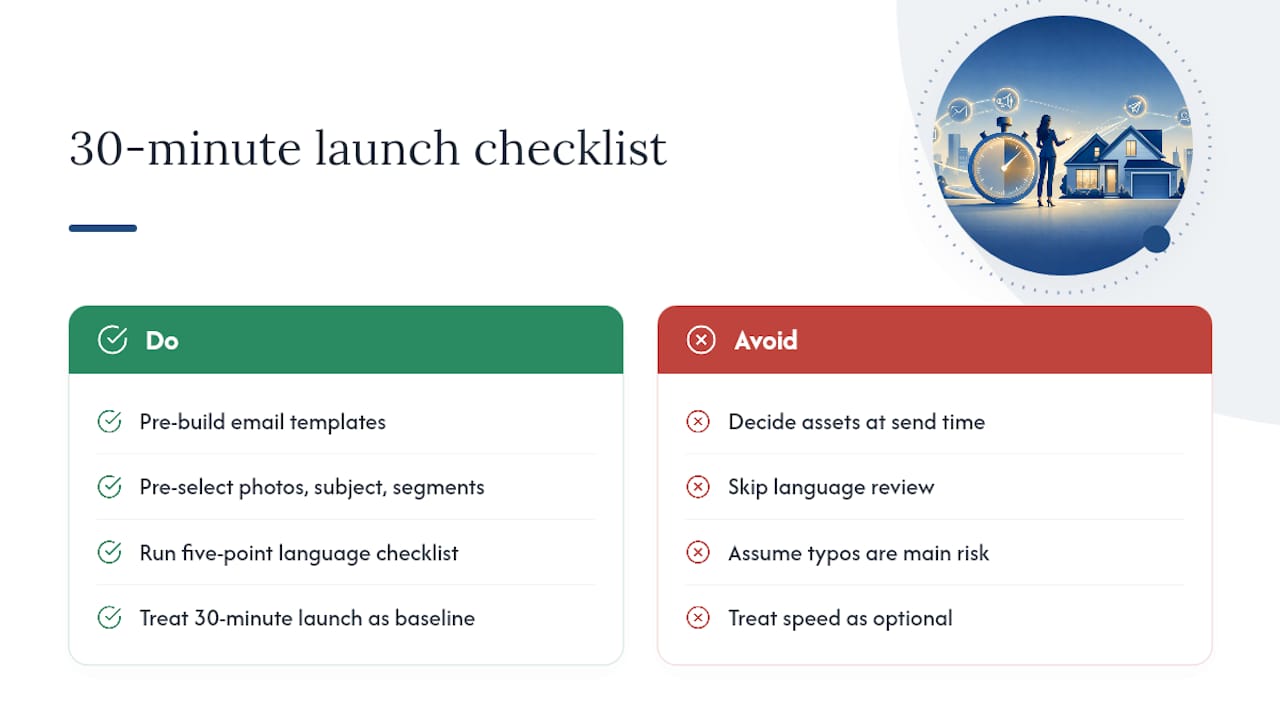
The biggest time sink isn’t the writing. It’s indecision: which photo, which subject line, which segment goes first. Pre-deciding those choices before you have an active listing is what actually saves the hour.
The real risk of moving fast is compliance, not typos. A rushed subject line rarely causes damage. Rushed property description language that brushes against Fair Housing boundaries does. Speed and compliance aren’t in tension if the checklist step for language review happens every time, not just when something feels off.
— Tyler
Send Polished Just Listed Emails Without Starting From Scratch
Some AI writing platforms can turn thirty minutes of drafting into a five-minute review by generating email drafts, MLS remarks, and social posts together from a single set of listing details. Such tools may also flag Fair Housing wording concerns before sending, which is especially helpful for rushed Just Listed emails.
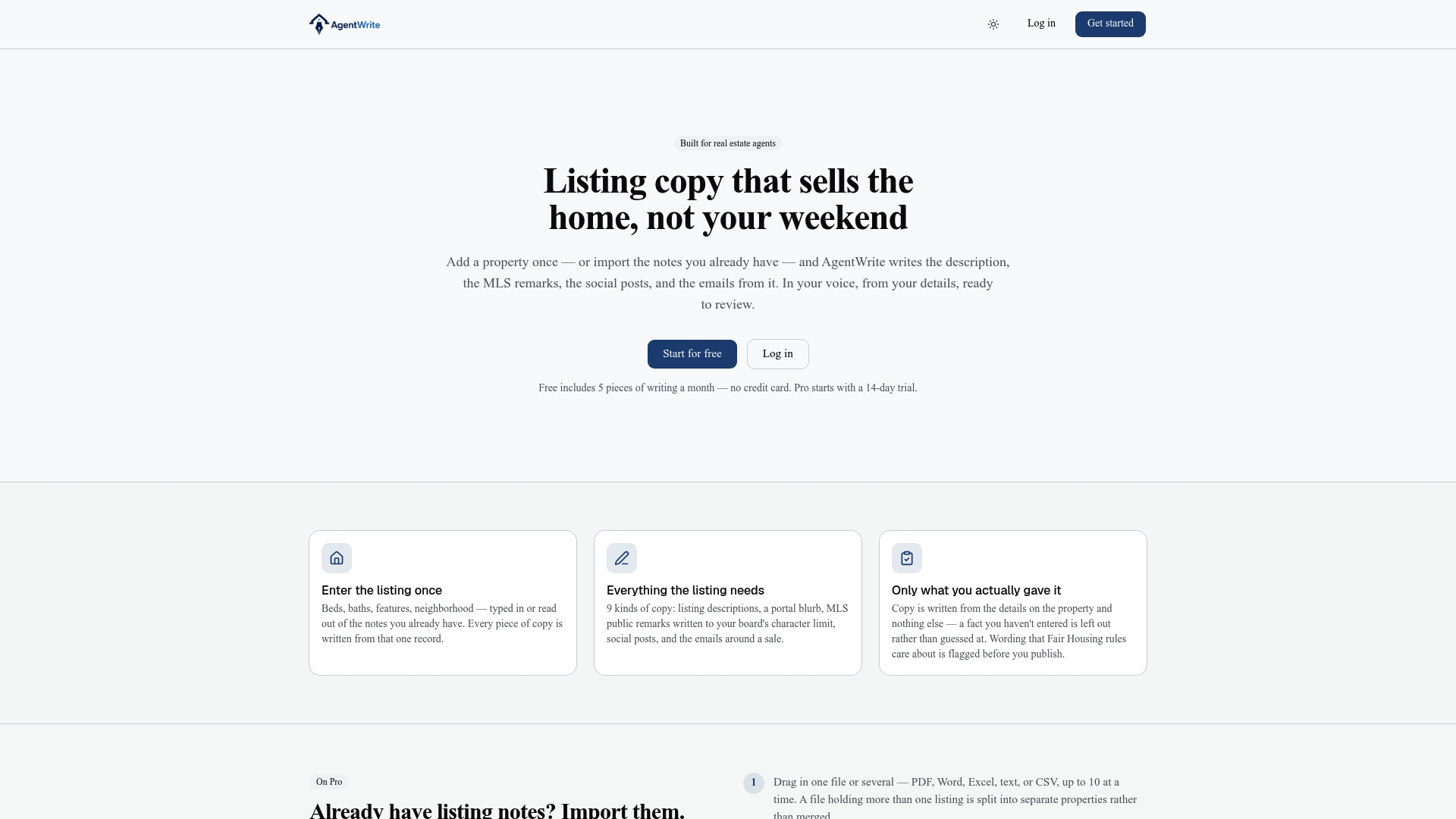
A practical workflow: generate the draft in Agentwrite, attach your hero image and any grid photos, preview it on a phone, then send to your prioritized segments. That’s the same five-point discipline covered above, minus the blank-page staring. If you’re listing more than a handful of properties a month, start a listing draft on the Agentwrite platform and see how close the first draft gets to send-ready.
Sources
- Realestate
- Just listed email templates for real estate agents — CloseDaily
- New listing email campaign templates + AI prompts — EmerickTech
FAQ
How Fast Should I Send a Just Listed Email?
Send to your highest-priority buyer segment within a few hours of MLS activation, then follow with sphere and neighbor sends over the next day or two.
Should I Use One CTA or Several in a Just Listed Email?
Use exactly one primary CTA. Multiple competing buttons split clicks and tend to lower conversion on the action that actually matters, like scheduling a showing.
Which Template Style Works Best for a Luxury Listing?
The hero template usually works best for luxury listings, since one striking photo carries more weight than a grid of smaller images for that audience.
Can AI Help Me Write a Just Listed Email Faster?
Yes. A tool like Agentwrite can generate a draft from your listing details in minutes and flag Fair Housing wording concerns, though a quick agent review before sending is still worth doing.
What’s the Most Common Mistake in Just Listed Emails?
Skipping the mobile preview. An email that looks polished on a desktop screen can crop the hero image or bury the CTA button on a phone, where most opens actually happen.